Should a first-time buyer or new homeowner bother setting up security cameras? The short answer is yes - and wireless systems make it practical for people with no technical background.
What Wireless Home Security Cameras for Beginners Actually Are
A wireless home security camera is a battery-powered or plug-in camera that sends video over a Wi-Fi network instead of running a cable to a recording device. No drilling through walls, no coaxial cable, no dedicated recorder required. The camera connects to a home router and streams footage to a cloud server or a local storage card.
This matters for real estate buyers specifically because the National Association of Realtors reported in its 2023 Home Buyers and Sellers Generational Trends report that first-time buyers now make up a significant share of purchases, and many move into homes where no security infrastructure exists. Installing a wired system in a home already finished with drywall is expensive and invasive. Wireless cameras skip that problem entirely.
The distinction that trips people up: "wireless" refers to the video transmission, not always the power source. Many wireless cameras still plug into an outlet. True battery-operated cameras are wire-free - no cables at all. The terms are related but not identical.
How the System Actually Works
When motion triggers the camera's passive infrared sensor - the camera captures a short video clip and sends it two places: to a cloud server operated by the manufacturer, and as a push notification to a smartphone app. Most cameras check for motion constantly and use a small onboard processor to filter out irrelevant movement like tree branches before sending an alert.
Video quality is measured in resolution. A 1080p camera captures roughly two million pixels per frame, which is enough to read a license plate at about 15 to 20 feet under decent lighting. Higher-resolution cameras (2K or 4K) capture more detail but consume more bandwidth and more storage. The Federal Trade Commission has published consumer guidance noting that cloud storage for security footage typically involves a recurring subscription fee, and the footage is transmitted over an encrypted connection - though the strength of that encryption varies by manufacturer.1
Local storage - a microSD card inside the camera, or a local NAS drive - keeps footage on-site without a monthly fee. The tradeoff is that if a burglar takes the camera - the footage goes with it.
What Determines How Well a Camera Performs
Four factors drive real-world performance more than any spec sheet.
Wi-Fi signal strength is the most important and least discussed. A camera installed at the far corner of a property, separated from the router by two exterior walls, will drop frames, fail to upload clips, or go offline entirely. The U.S. Department of Homeland Security's Cybersecurity and Infrastructure Security Agency (CISA) recommends placing cameras within reliable signal range and using a Wi-Fi extender or mesh network node near the camera location if the signal is weak.2
Field of view determines coverage area. A 110-degree lens covers about the width of a standard door frame at 10 feet. A 160-degree wide-angle lens covers a full driveway or garage front from a single mounting point. Wider isn't automatically better - wide lenses distort edges - which can make faces harder to identify at the frame's corners.
Night vision range is rated by the manufacturer in feet, but that rating assumes complete darkness. Ambient light from street lamps or porch lights can extend effective range; direct light sources like headlights can wash out the image. Color night vision cameras use a brighter sensor and require some ambient light. Infrared night vision cameras produce black-and-white footage but work in complete darkness.
Battery life varies from two weeks to six months depending on how often the camera triggers. A camera pointed at a busy street may drain in two weeks. A camera watching a side gate with occasional foot traffic may last four months on the same battery.
The Real Costs and Tradeoffs
| Camera Type | Typical Hardware Cost | Cloud Storage Cost | Main Tradeoff |
|---|---|---|---|
| Battery wire-free, basic | $50 - $100 per camera | $3 - $10/month per camera | Batteries need recharging every 1-3 months |
| Plug-in wireless, indoor | $30 - $80 per camera | $3 - $10/month per camera | Requires outlet; cable visible |
| Plug-in wireless, outdoor | $60 - $150 per camera | $3 - $10/month per camera | Needs weatherproof outlet or weatherproofing |
| Local storage only | $60 - $130 per camera | $0 (microSD card $10 - $30 one-time) | Footage lost if camera is stolen or card fails |
| Professionally monitored system | $200 - $600 for starter kit | $20 - $60/month | Higher ongoing cost; human dispatches help |
On a typical starter setup - two outdoor cameras and one indoor camera - hardware runs $150 to $400 - and cloud storage adds $10 to $25 per month depending on the plan tier. Over three years, total cost lands between $500 and $1,300. That's a rough estimate; prices shift and plans change, so verify current pricing before committing.
One real estate - specific cost consideration: the National Association of Realtors notes that documented security features can positively influence buyer perception when a home goes back on the market, but the cameras themselves carry almost no measurable appraisal value. Don't buy a system expecting it to raise a home's appraised value. Buy it because you want the actual security and the ability to monitor the property remotely.
Where People Slip Up
Assuming one camera is enough. Most homes have four to six entry points - front door - back door, garage, and at least one or two ground-level windows. A single camera watching the front door leaves most of the property uncovered. Home security industry studies consistently find that a large share of residential burglaries occur through a rear or side entry, not the front door.3 Map the entry points before buying hardware.
Ignoring the subscription model. Many cameras are priced low because the manufacturer recovers margin through the cloud plan. Without a subscription, some cameras store only a 24-hour rolling clip - or disable motion alerts entirely. Read exactly what a camera does without a paid plan before deciding the hardware cost is the full cost.
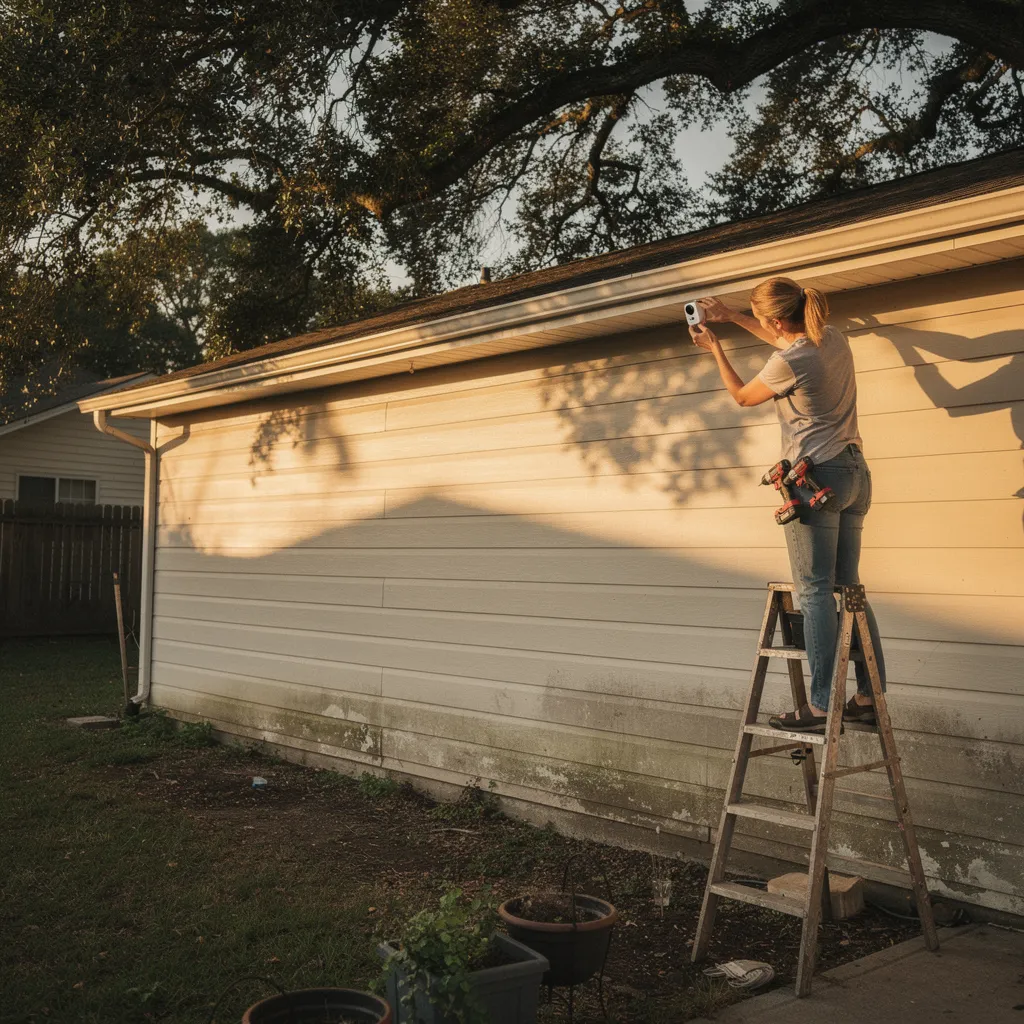
Placing cameras based on convenience rather than coverage. People mount cameras next to the outlet rather than at the optimal angle. The result is a camera that watches a wall or records the top of a visitor's head. The correct approach is to pick the coverage point first - typically 8 to 10 feet high, angled 15 to 30 degrees downward - then solve the power and mounting problem from there.
Neglecting password and firmware hygiene. CISA has issued specific guidance that default manufacturer passwords on smart cameras are a known vulnerability and should be changed immediately on setup, and that automatic firmware updates should be enabled.2 A camera left on its default credentials is a reachable device on the home network, which creates privacy and network security exposure beyond just the camera itself.
The next step is practical: walk the perimeter of the property and count the entry points, note where power or Wi-Fi signal is available - and use that map to decide how many cameras are actually needed and where each one goes before spending a dollar on hardware.
1 Federal Trade Commission, consumer guidance on smart home device security and data practices.
2 Cybersecurity and Infrastructure Security Agency (CISA), guidance on securing internet-connected cameras and smart home devices.
3 Bureau of Justice Statistics (BJS) reports and home security industry studies (such as InterNACHI) on residential burglary entry points.
Figures are approximate ranges based on publicly available information and change frequently. Verify current pricing and plan terms directly with manufacturers. For questions about home security as it relates to a specific property, consult a licensed real estate professional or a certified security consultant.
Disclaimer
This article is for general informational purposes only and doesn't constitute professional - financial, medical, or legal advice. Consult a qualified professional about your specific situation.